If you maintain a contributed Drupal module or theme, you'll know the code is only part of the job. For other people to rely on it, you also need a Drupal site to develop against, automated tests, coding standards checks, a pipeline that runs them on every change, and a way to get each release onto Drupal.org.
Building that machinery by hand for each project is a job in itself, and keeping it running takes years of small updates. Drupal ships 2 minor releases a year and PHP a new version every year, and any of them can break a module that worked fine last month. When nothing tests against the new versions, the first sign of a break is often a bug report from a site that has just updated.
Drupal 12 is a bigger change again. It's in beta now, and every module that's going to support it needs testing against it.
Eddy is the template we use for the modules we maintain. It started in 2015 as a scaffold for Drupal 7. It's free and open source, on GitHub at drevops/eddy(Opens in a new tab/window), with full documentation at eddy.drevops.com(Opens in a new tab/window).
What does a module need besides its code?
A contributed module is an add-on that anyone can download from Drupal.org and install on their own site. Those sites need it to keep working through their updates, and that takes 4 pieces of work around the code.
| The work | Why it matters | What Eddy gives you |
|---|---|---|
| A site to develop on | Drupal code runs inside a working site, with its database, caches and other modules | A local Drupal site, built by the same commands CI runs |
| Tests across versions | A module supports a range of Drupal and PHP versions, and each pair can behave differently | CI on GitHub Actions across Drupal 10, 11 and 12 and PHP 8.3 to 8.5 |
| Coding standards | Drupal has its own conventions, and static analysis catches bugs before anyone reviews the code | Checks for PHP, Twig, JavaScript, CSS and spelling, wired into CI |
| Publishing | Drupal.org holds the project's official repository and its releases | Mirroring to Drupal.org once the tests pass |
Start a module or theme from Eddy and all 4 come with it. Your time goes into the extension itself.
If you know Vortex(Opens in a new tab/window), our template for Drupal websites, Eddy is its sibling for the modules and themes those websites install. The 2 templates do separate jobs, so a repository uses one or the other.
Starting a new module or theme
Setting up takes a download and a short list of questions. The installer asks for your extension's name, whether it's a module or a theme, which Drupal versions to test, which command wrapper you prefer (make, Ahoy(Opens in a new tab/window), both or neither) and which tools to keep. Then it renames the template's files after your extension and removes everything you didn't select. For a theme, the example extension turns into a theme, with a global library, a .theme file and a browser test that sets it as the default theme.
Every answer can come from an environment variable instead, which helps in scripts and when an AI agent sets up the project.
The same commands on your machine and in CI
ahoy build, or make build, assembles a fresh Drupal codebase, symlinks your extension into it, starts PHP's built-in webserver and installs Drupal on an SQLite database. The site runs on the PHP and Composer already on your machine, and because the extension is symlinked, an edit in your project shows up in the site straight away.
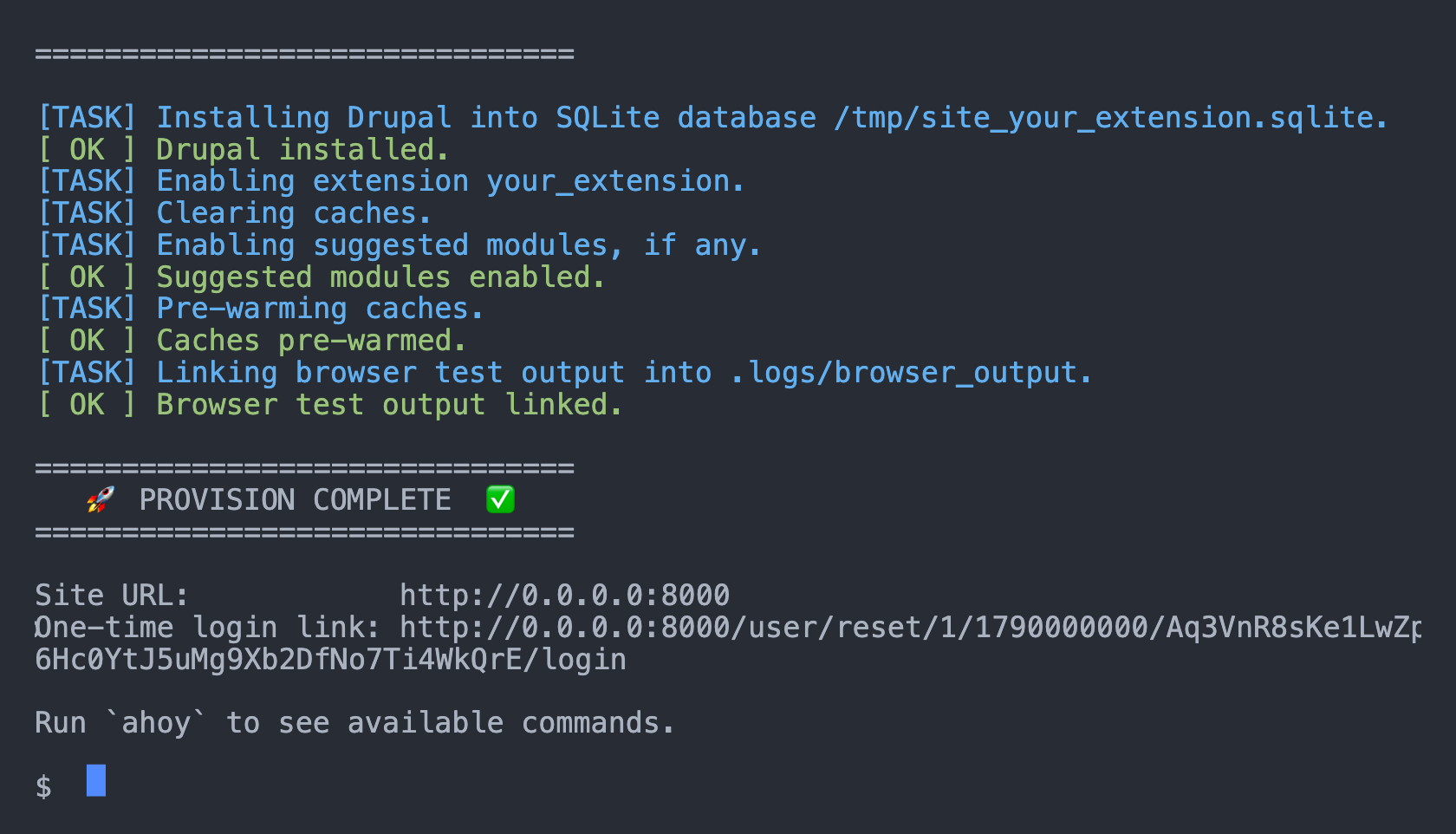
CI builds its site with the same commands, which pays off when something fails. A failing CI job reproduces on your machine with the same Drupal and PHP versions, where you can debug it with the tools you already use. It works the other way too: a passing local run is a good sign the next CI run will pass.
The other everyday commands sit beside build: test runs the PHPUnit and Jest tests, lint checks coding standards and lint-fix fixes what it can, login prints a one-time login link, and debug restarts the webserver with XDebug.
Tested on the versions your users run
Eddy's CI tests the edges of your support range: the lowest and highest supported PHP on each Drupal major, plus 2 extra tiers on Drupal 11 and 12.
| Tier | What it builds | Why it's there |
|---|---|---|
| Stable | The newest stable release of each Drupal major | It's what an up-to-date site runs |
| Legacy | The newest patch of an older minor, pinned to 11.1 and 12.0 | Some sites stay on an older minor for a while |
| Canary | The next minor's beta or release candidate, when there is one | A change in the next minor can show up in your CI before it ships |
With all 3 Drupal majors selected, that's 10 test jobs and 3 lint jobs. The stable and canary jobs follow Drupal's releases and pick up each new version on their own.
Getting ready for Drupal 12
Drupal 12 is opt-in. Select it in the installer, or add it later, and your CI gains 5 jobs that build the newest Drupal 12 pre-release for now and move to 12.0.0 on their own once it ships. Drupal 12 requires PHP 8.5, so those jobs run on it.
Adding a major also takes a few changes in your own code, such as ^12 in core_version_requirement, and PHPUnit attributes alongside the annotations that older PHPUnit versions read. If you use Claude Code, /update-consumer-eddy add Drupal 12 adds the jobs and makes those changes, each in a commit of its own, in a pull request for you to review.
The documentation lists the Drupal 12 breaking changes a contributed module is most likely to hit, such as typed KernelTestBase properties and text_with_summary moving out of core. Each one comes with a fix that works on Drupal 10, 11 and 12.
Coding standards and tests, ready to run
Eddy configures PHPCS with the Drupal, DrupalPractice, DrevOps and PHPCompatibility standards, PHPStan with its Drupal extension, Drupal Rector, Twig CS Fixer, ESLint, Stylelint, CSpell and Prettier. You choose which tools to keep, and lint runs them.
The installer gives a module a working example of each PHPUnit suite: Unit, Kernel, Functional, and FunctionalJavascript, which drives a real browser. A theme gets the FunctionalJavascript example, and both get a Jest test for their JavaScript. PHPUnit and Jest collect code coverage, and CI can send it to Codecov(Opens in a new tab/window).
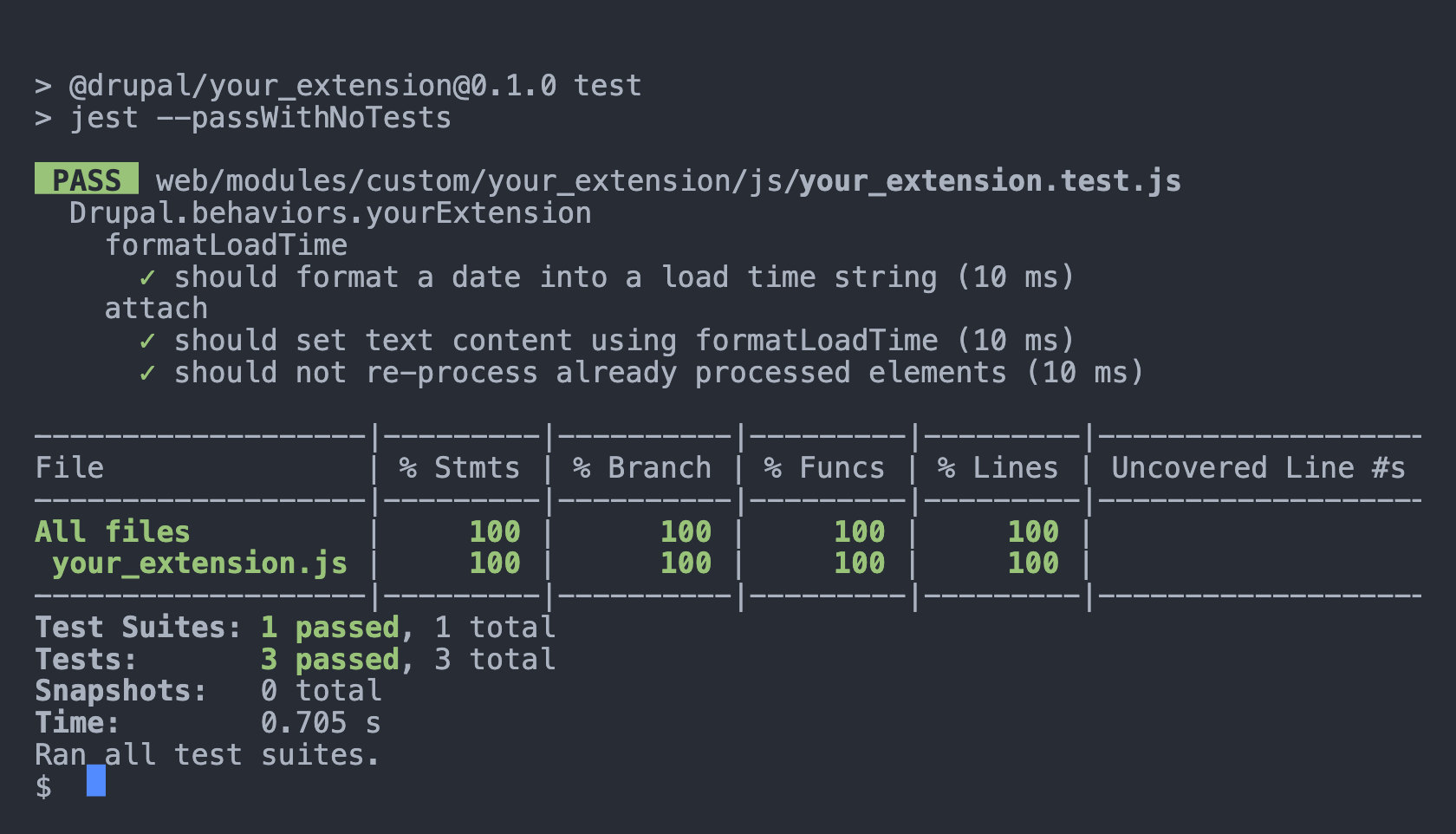
Functional and FunctionalJavascript tests save the HTML of every page they visit, and FunctionalJavascript tests save screenshots as well. CI uploads them with the run, so when a test fails you can open the page that led to the failure.
Testing with other modules and themes
On a real site, your module or theme runs next to plenty of other modules, and a theme can come with a module of its own. Eddy can build those into your test site too, so you can test your extension and the extensions around it in one go.
To bring in other modules and themes, list them in the suggest section of your extension's composer.json. The build adds each one to the codebase and enables it on the site, as a theme or a module depending on its type. Sites that install your extension don't get them, since Composer only suggests them.
An extension can also ship inside yours. A theme can bring the module that provides its blocks, a module can bring a theme, and either can carry extensions that only its tests use, in tests/modules/ or tests/themes/, which stay out of the releases on Drupal.org. Bundled extensions sit inside your extension's directory, where Drupal finds them and the linters check them along with your own code. Their tests run once you add them to phpunit.xml.
Bundling takes a few manual steps, which Bundled extensions(Opens in a new tab/window) walks through. Eddy's own CI builds a module and a theme that each bundle an extension of the other type, then lints and tests them.
From GitHub to Drupal.org
Eddy lets you develop on GitHub and keeps your Drupal.org repository up to date. When the tests pass on a push to a branch you deploy, such as 1.x, CI mirrors the commit it tested to Drupal.org, or to any other git remote. Release tags go across the same way.
A few safeguards come with it:
- Only pushes to your own repository deploy.
- A release tag deploys as the tag alone and leaves your branches as they are.
- Deployments of a branch run one at a time, and each checks the branch on GitHub right before it pushes, so an older commit can't replace a newer one.
- Until you add the deployment secrets, the deploy job reports a notice and skips its steps. A separate switch lets you run it without pushing while you test the setup.
Why GitHub, when Drupal.org has GitLab CI?
We build and test on GitHub because it gives us more flexibility in what we test and how. CI there runs Eddy's own build, the same one you run on your machine, so your project controls what goes into the test site and what runs around the tests. You decide which Drupal versions each job builds, add other modules and themes to the site, patch a dependency for your builds alone, and run your own scripts when the site is assembled, installed, started or stopped.
You can run Drupal.org's GitLab CI on the mirrored code as well. Eddy's configuration works there with 1 override(Opens in a new tab/window), which turns off code coverage, since GitHub Actions already collects it.
Staying current
Renovate(Opens in a new tab/window) opens grouped pull requests that keep your npm packages, GitHub Actions and Docker images up to date. The commands that build, run and deploy your extension come from a Composer package, drevops/eddy-tooling, so their bug fixes reach your project as patch releases.
When Eddy itself changes, ask Claude Code to "update scaffold". Eddy's update skill renders the template twice from your original installer answers, once from the release your project is on and once from the latest, and merges the difference into your project. Then it builds, lints and tests the result and opens a pull request. You only decide on lines that both you and Eddy changed, and the documentation covers updating by hand as well.
Already using the Drupal Extension Scaffold?
Eddy is the new name for the Drupal Extension Scaffold, and the 5.x releases are the first under it. They also moved the build scripts into the tooling package and standardised CI on GitHub Actions, so a project created from a 4.x release needs a one-off upgrade. Upgrading from 4.x(Opens in a new tab/window) walks through it, and the update skill does most of the work.
Try it
- Download the latest release(Opens in a new tab/window) and expand it into a new directory.
- Run
php install.phpthere and answer its questions. - Run
ahoy buildormake build, thenlintandtestthrough the same wrapper.
Installation(Opens in a new tab/window) covers every step, from the download to the first deployment to Drupal.org. Eddy tests itself the way it tests a project created from it, and deploys to drevops/eddy_destination(Opens in a new tab/window) as a working example, so you can see a mirrored repository before you set up your own. The modules we maintain, including Testmode(Opens in a new tab/window) and Generated Content(Opens in a new tab/window), use it too.
Ideas, bug reports and pull requests are welcome on GitHub(Opens in a new tab/window).
What will Drupal 12 mean for your modules?
We are a Melbourne-based digital agency that builds and supports Drupal websites. Vortex is the template behind the websites we build, and Eddy is the one behind the open-source modules we maintain. If your website relies on custom or contributed modules and you'd like to know what Drupal 12 will mean for them, we're glad to talk it through.