

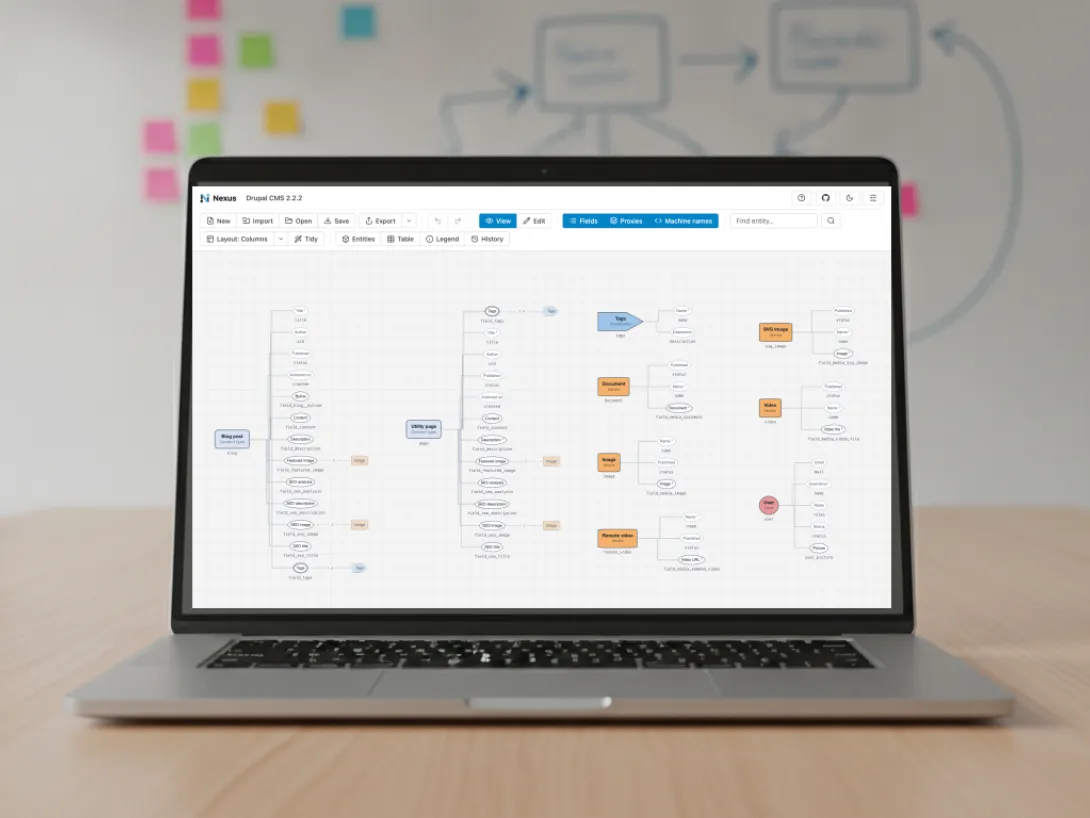
Why the content model is hard to see: hundreds of files, 1 screen at a time
A content model is the set of building blocks a site's content is made from. Content types are the kinds of things you publish, such as news articles and events, and fields are the pieces of information each one holds. Vocabularies sort that content, media types describe its images and documents, and references connect the pieces.
Most Drupal work starts from that model:
- a migration estimate depends on knowing everything that has to move
- a redesign depends on knowing which fields each template can draw on
- a developer joining the project needs the map before opening the code
- a workshop with editors goes better when everyone looks at the same picture
On a built site, the model is spread across a few hundred configuration files, and the admin screens show 1 content type at a time. On a site still being planned, it lives in workshop notes and whiteboard photos that drift from what gets built.
Drop in a configuration folder and see the whole model on 1 canvas
Nexus(Opens in a new tab/window) reads the same configuration files Drupal(Opens in a new tab/window) does, so the diagram it draws matches the site. Drop a site's exported configuration folder onto the page, and Nexus rebuilds its content types, vocabularies, media types, paragraph types and blocks, with their fields and every reference between them.
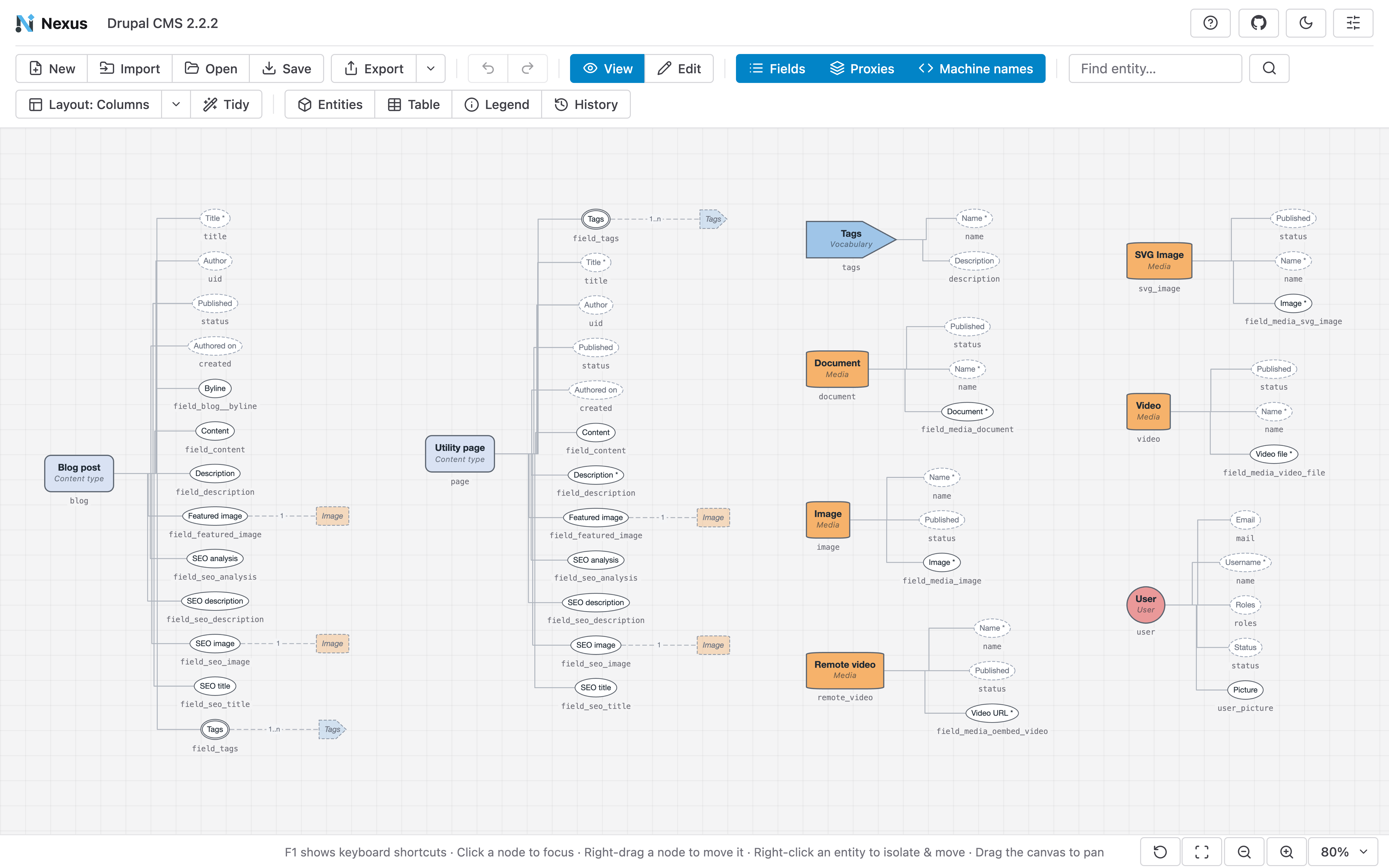
Each kind of entity has its own colour and shape, borders mark single-value, multi-value and system fields, and every machine name sits underneath in monospace, ready to copy into code or a ticket. A full model is a lot to take in, so Nexus narrows it down:
- hide the fields for an entity-only overview that works on a shared screen
- click an entity, or find it by name, to focus it and its connections
- search the field table for any field's type, cardinality, requiredness and references
- export the field table as a CSV checklist for a migration or an audit, and the canvas as PNG or SVG
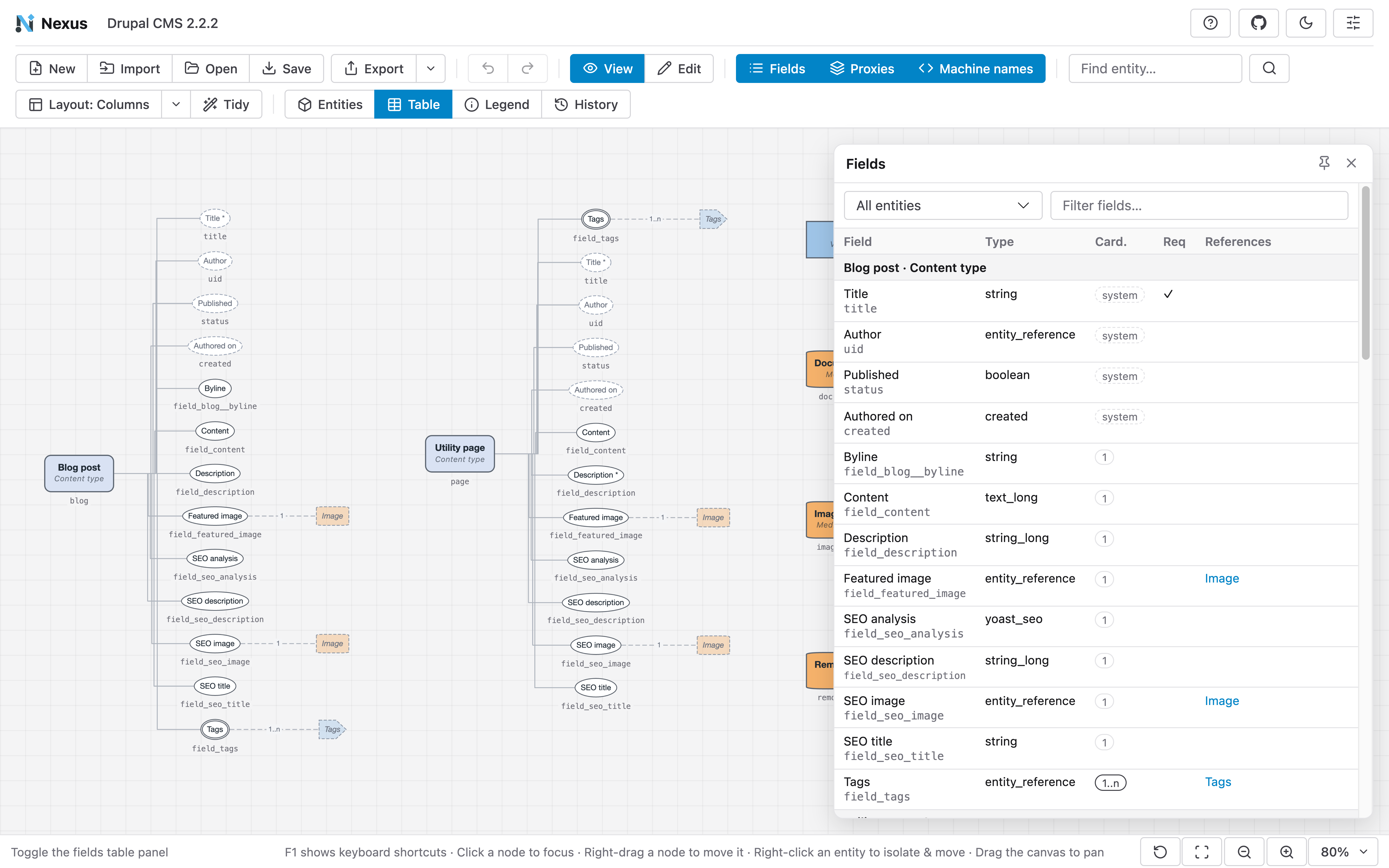
For a project team, that means the conversation about content starts from what the site actually holds.
Your configuration stays in your browser, so it's safe to open client work
Site configuration describes how an organisation's website is put together, and client work often comes with a confidentiality agreement. Nexus runs entirely in the browser: it reads the files, builds the model and draws the diagram on your own machine.
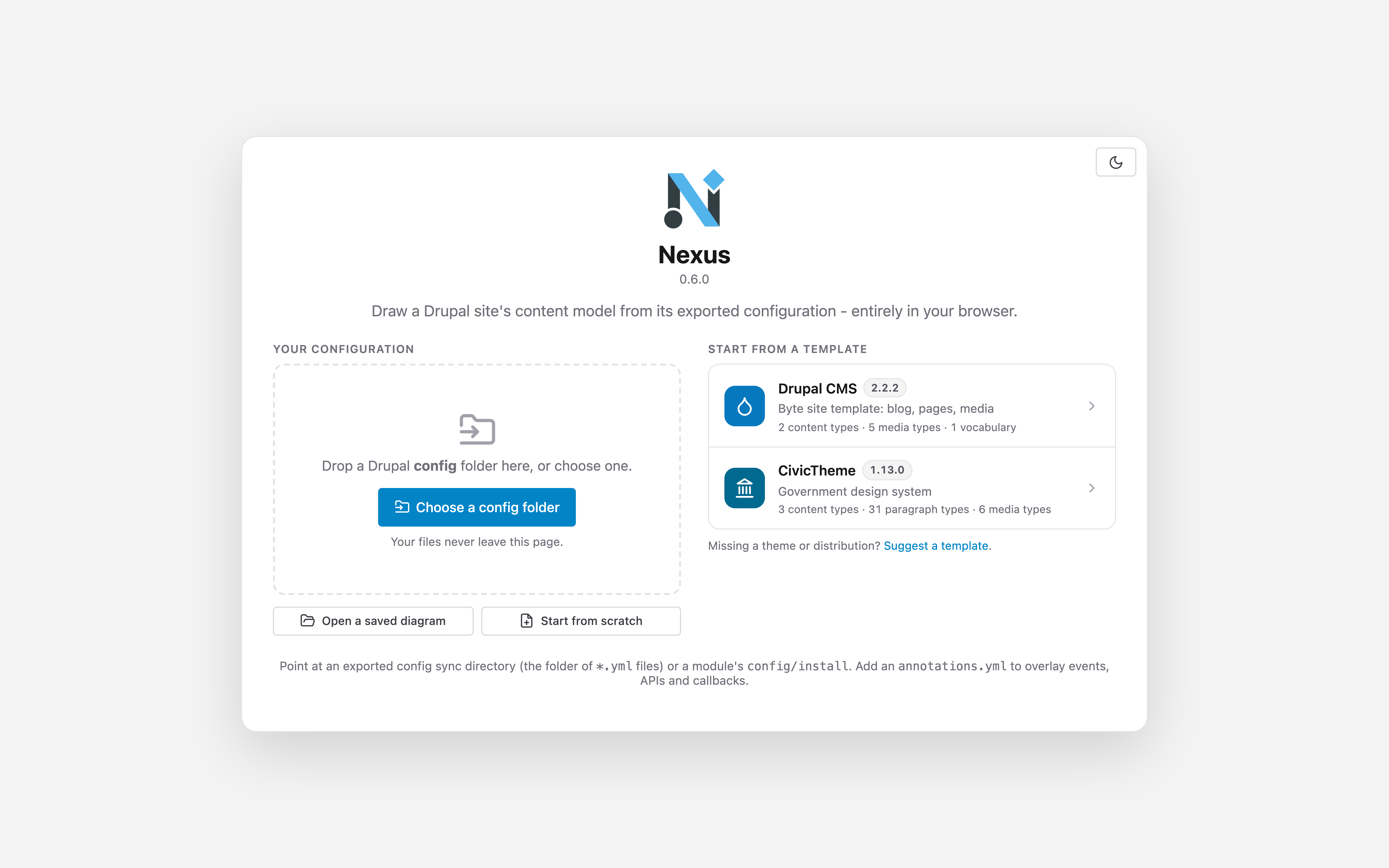
The configuration leaves the browser only when you save or export a file yourself, and the privacy section of the README(Opens in a new tab/window) sets out exactly what is kept and where. Teams that prefer to can host their own copy on any static web server.
Sketching a new content model before the site exists
Planning starts in Edit mode, from an empty canvas or a template. The 2 templates are drawn from exact public releases: Drupal CMS(Opens in a new tab/window) 2.2.2 with its Byte site template, and the CivicTheme(Opens in a new tab/window) 1.13.0 government design system.
From a palette you add content types, vocabularies, media, paragraphs, blocks and fields, then connect each reference to its target. The Inspector changes any label, machine name, field type or cardinality. Parts of the architecture that configuration doesn't hold, such as an external API or a callback that syncs registrations, sit on the same canvas.
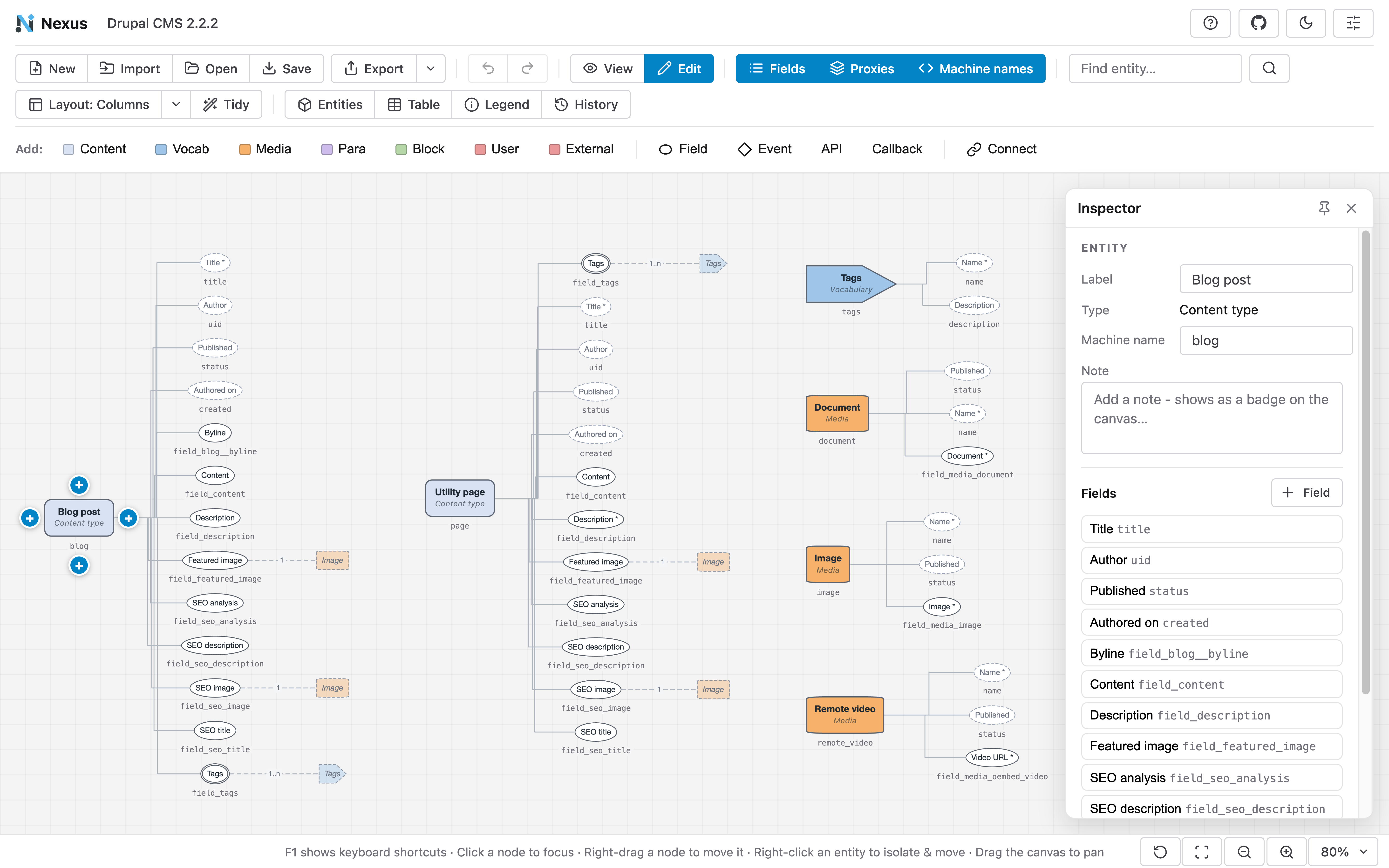
The finished model saves as a document that reopens with its layout exactly as you left it, and the History panel steps back through your last 200 changes.
Free, open source and running at nexus.drevops.com
Nexus went live in October 2026 and is free to use in any modern browser. It's open source under GPL-2.0-or-later, the same licence as Drupal, and developed in public on GitHub(Opens in a new tab/window), where ideas, bug reports and template suggestions are welcome as issues.
CivicTheme's whole content model, 3 content types built from 31 paragraph types, drawn on 1 canvas in your browser.
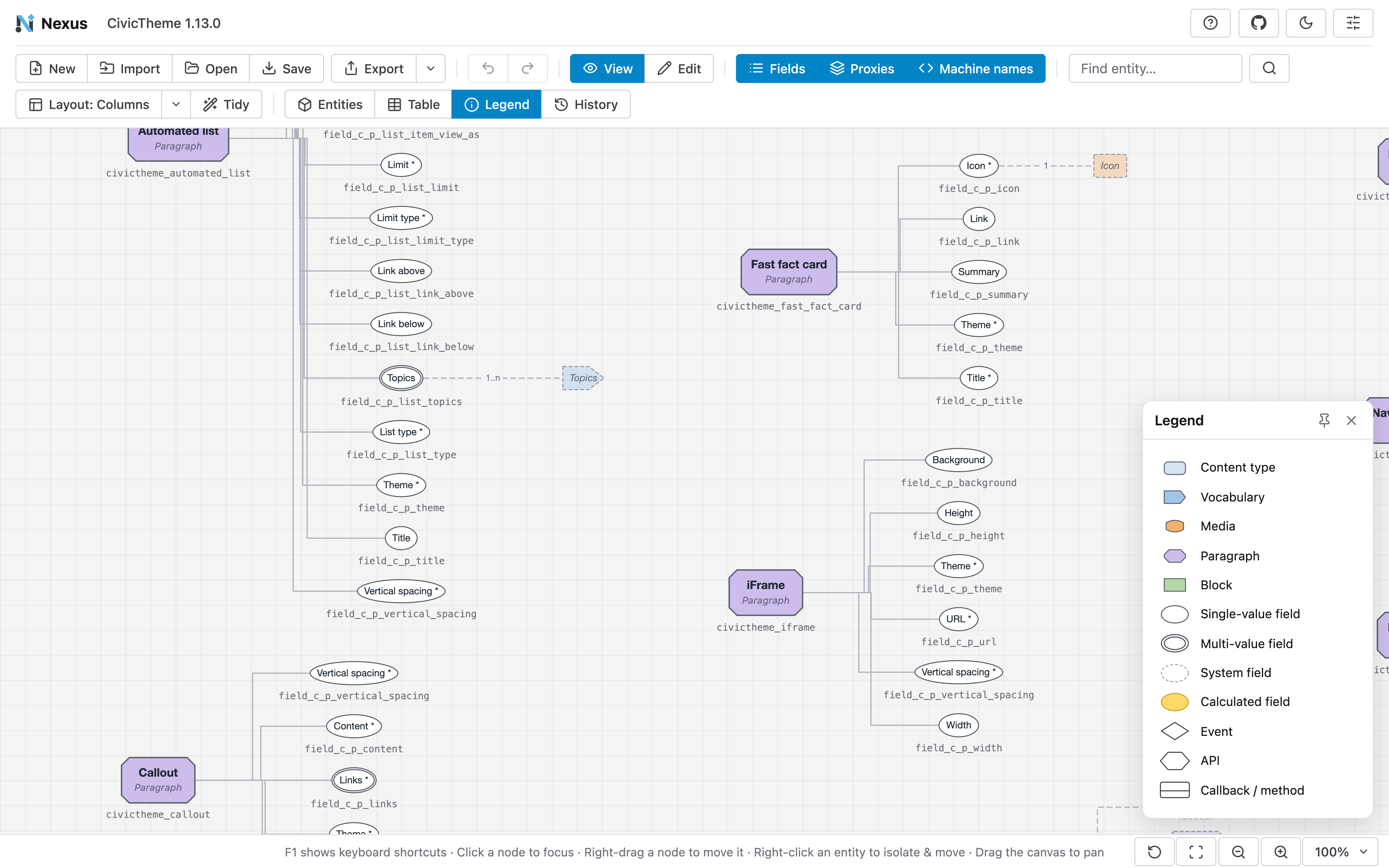
Our launch post walks through every feature, with screenshots from the 2 templates.
For teams planning a migration, a rebuild or a new content model
Nexus draws the picture our Drupal migration work starts from: the content model a site holds today, and the one it needs next.
If you're planning a migration or a rebuild, this is the shape the engagement takes: we map the content model you have, agree the one you need, and plan what moves where before anything is built. The exported field table can serve as the checklist that every field is tracked against.
If your next project starts with a content model nobody has drawn yet, tell us what you're planning.